Course 1 · Mondays 1 June – 6 July 2026 · 6–8 PM BST
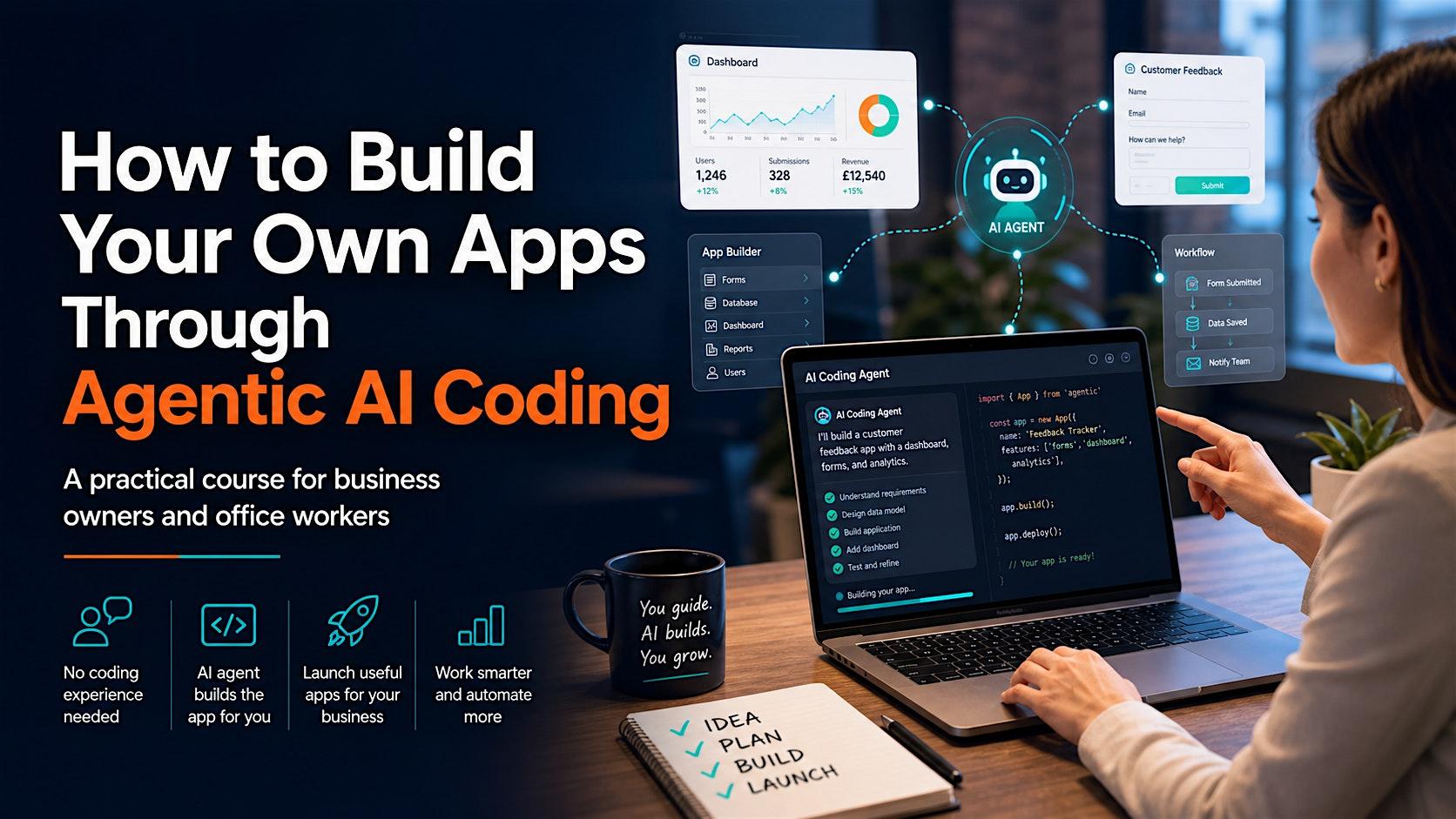
How to Build Your Own Apps
Through Agentic AI Coding
A practical course for business owners and office workers. You guide. AI builds. You grow.
No coding
No prior experience needed
Build along
AI builds the app for you
Real apps
Calculators, dashboards, trackers
Automate
Work smarter, not harder
3-minute taster
Watch the 3-minute pitch.
Prefer a dedicated landing page for sharing? Open the standalone taster page.
Format
6 × 2-hour sessions
Live online · 1 hr teaching, 1 hr build-along.
When
Mondays, 6–8 PM BST
1, 8, 15, 22, 29 June & 6 July 2026.
Audience
Non-technical pros
Owners, managers, office staff, freelancers.
You finish with
A working app + project pack
Brief, prompts, tests and risk reflection.
Who it’s for
If you have a “we should just build a small tool for that” idea every week, this is for you.
Business owners
Quote calculators, lead trackers, sales dashboards, customer follow-up tools — apps that pay for themselves in a week.
Office workers
Clean CSVs, rename files in bulk, build weekly report generators, extract data from documents — replace the spreadsheet hacks.
Managers & freelancers
Task trackers, client intake forms, internal dashboards — stop waiting for IT or paying for SaaS you only half-need.
What you’ll learn
Seven outcomes you can use Monday morning.
- Explain how agentic AI coding differs from a normal chatbot — and why that changes what you can ship.
- Pick the right tool for the job: planning agents, desktop coders, browser builders, deployment platforms.
- Turn a vague idea like “we need a quote tool” into a brief an AI can actually build from.
- Use AI agents to build dashboards, calculators, forms, trackers and small internal tools.
- Spot privacy, security and ethical risks in AI-generated code before it goes anywhere near production.
- Test, deploy and maintain a small app responsibly — including backups, costs and handover docs.
- Know exactly when an AI prototype is enough and when to bring in a developer or a security review.
The six sessions
Idea → Plan → Build → Launch.
Each session: 10 min recap and context, 50 min teaching, 50 min build-along, 10 min review and next steps.
Session 1 · Mon 1 June
Meet Your AI Coding Agent
Chatbots vs agents. What makes AI coding agentic. Realistic business use cases — and what AI can’t do reliably. Build: a single-page calculator (VAT, profit margin or hourly rate).
Session 2 · Mon 8 June
Choosing and Setting Up Your Toolkit
Codex Desktop, Claude Code, Cursor, browser builders, planning tools. Free vs paid. Safe setup: project folders, sample data, secrets. Build: a clean project scaffold from a short brief.
Session 3 · Mon 15 June
Briefing the Agent: Idea → App Spec
MVP thinking, user stories, acceptance criteria, the app brief template, plan-before-build prompting. Build: a brief for your own app, then ask the agent for a build plan — no code yet.
Session 4 · Mon 22 June
Building Apps for Real Workflows
Common patterns: dashboards, forms, trackers, file tools, mini CRMs. Frontend / backend / database — without the jargon. Build: CSV sales dashboard, lead tracker, quote calculator or intake form.
Session 5 · Mon 29 June
Ethics, Privacy, Security and Trust
Sensitive data, prompt leakage, AI hallucinations, unsafe code, API keys, when to call an expert. UK GDPR-aware. Build: ask an agent to review one of your apps for privacy and security risks.
Session 6 · Mon 6 July
Testing, Deploying and Maintaining
Definition of done. Testing checklists. Debugging with an agent. Version history. Deployment, costs, maintenance. Build: test, document and deploy your app.
The course project
Pick one — leave with a real, working app.
You’ll build one app across the six sessions. Bring your own idea, or pick one of these defaults:
Client Tracker
Add clients, track status, record notes, filter and summarise. Teaches forms, stored records and workflow thinking.
Quote Calculator
Pick a service, enter inputs, calculate price, save or copy the quote. Teaches inputs, calculations and business logic.
Sales Dashboard
Upload a CSV, show KPIs and charts, filter by month or category. Teaches data, KPIs and visualisation.
Task Tracker
Add tasks, assign priority, set due dates, mark complete, surface overdue items. Teaches CRUD, status and dates.
Why this course
Tool-current at launch. Tool-agnostic by design.
The agentic AI coding landscape is moving fast. We refresh the tool list during the week before launch (25–31 May 2026) so you learn the strongest current options — but the workflow we teach (plan, brief, build, test, ship) outlives any specific tool.
This isn’t a programming bootcamp. You’ll act as a product owner: defining the problem, briefing the AI agent, checking its work, testing the result, and knowing when expert review is needed. That role doesn’t go away — it gets more important as agents get more powerful.
Taught by AI Project Fixers — a UK-based AI delivery studio that ships production AI for ambitious teams. Birmingham-based, UK-GDPR-aware, allergic to slideware.
FAQ
Common questions.
Do I need to know how to code?
What software do I need before the course?
How is this delivered — live, recorded, or both?
Will I be able to ship a real app to colleagues or customers?
How is this different from a YouTube tutorial?
How much does it cost?
Enrolment is open
Reserve your seat for 1 June 2026.
Six Monday evenings. One small cohort. One real app you’ll actually use. Tickets and pricing live on Eventbrite — secure your spot in two clicks.
Questions? Email [email protected]